Still wondering if email marketing works in 2025? Let’s Break It Down.
📬 Quick quiz: What marketing tool gives you a return of $42 for every $1 you spend?
If you guessed email marketing, you’re right!
It remains one of the best tools available even in 2025. The online world keeps changing, but email? It continues to deliver results every single time.
Now, here’s a question for you:
👉 Have you ever signed up for an email list just because the form caught your eye?
Chances are, your subscribers will do the same. That tiny little signup form on your site? It’s more powerful than it looks.
Think of it as your digital handshake, your very first impression.
But here’s the catch: If your newsletter signup form is confusing, dull, or hard to fill out, people will just skip it.
Let’s change the narrative. What if your form could attract more people and better leads?
This guide will walk you through 10 smart, proven ways to improve your newsletter signup forms in 2025. You’ll learn how to:
- Attract attention without becoming obnoxious.
- Design forms people want to fill out
- Get more high-quality subscribers who stick around
👉 Let’s dive in!
The Importance of Effective Newsletter Signup Forms in 2025
The online world keeps changing, and your newsletter signup forms need to keep up with it.. Here’s what’s happening:
📉 Privacy rules are tighter, and third-party cookies are going away.
📬 Inboxes are full, so getting noticed is harder.
💬 People want useful, real content, not just bulk emails.
Because of all this, your newsletter signup form isn’t just a small part of your site anymore; it’s a big deal. In today’s digital world, having a clear, helpful, and well-designed form is key to growing your email list and building trust with your audience.
Effective newsletter signup forms deliver benefits beyond simply growing your list
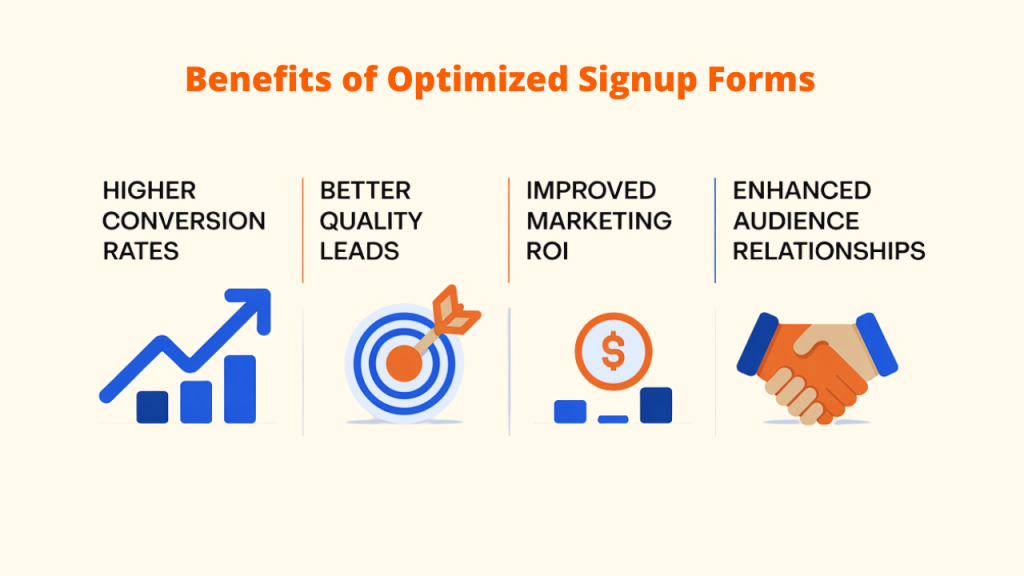
▶️Higher conversion rates: A smart, easy-to-use form can boost signups by 300% or more.
▶️Better quality leads: Well-designed newsletter signup forms attract people who are truly interested in what you offer.
▶️Improved marketing ROI: High-quality subscribers stay longer, engage more, and convert better.
▶️ Enhanced audience relationships: Forms that establish realistic expectations foster trust right away.
Why Newsletter Signup Forms Matter More Than Ever in 2025
In 2025, a few major trends are making newsletter signup forms more important than ever. Here’s why:
A. Growing Competition for Email Attention
People are now receiving more emails than ever before. The average worker now gets about 121 emails a day which is 18% more than two years ago. Your newsletter must offer genuine value if you want people to notice it in these overflowing inboxes.
If your newsletter signup form just says something like “subscribe here,” it’s probably not enough. People need a reason to sign up. You can create clear, simple newsletter signup forms with Converti and other tools to make the process simple and welcoming for your visitors.
B. First-Party Data Is Now a Big Deal
With Google removing third-party cookies and Apple making it harder to track users, marketers can no longer rely on old tracking methods. Now, first-party data, the information you collect directly from your audience is more valuable than ever.
Your newsletter signup form is one of the best ways to get this data safely and honestly. When someone signs up, they’re giving you their info because they’re interested in what you offer.
C. Higher ROI from Personalized Email Marketing
Segmented, personalized email campaigns generate 58% of all email revenue while representing just 32% of sends.
The way to send better, more personal emails is by collecting the right info from your subscribers when they sign up. A smartly designed form helps you do this — and that means better results for your business.
10 Best Practices for Newsletter Signup Forms
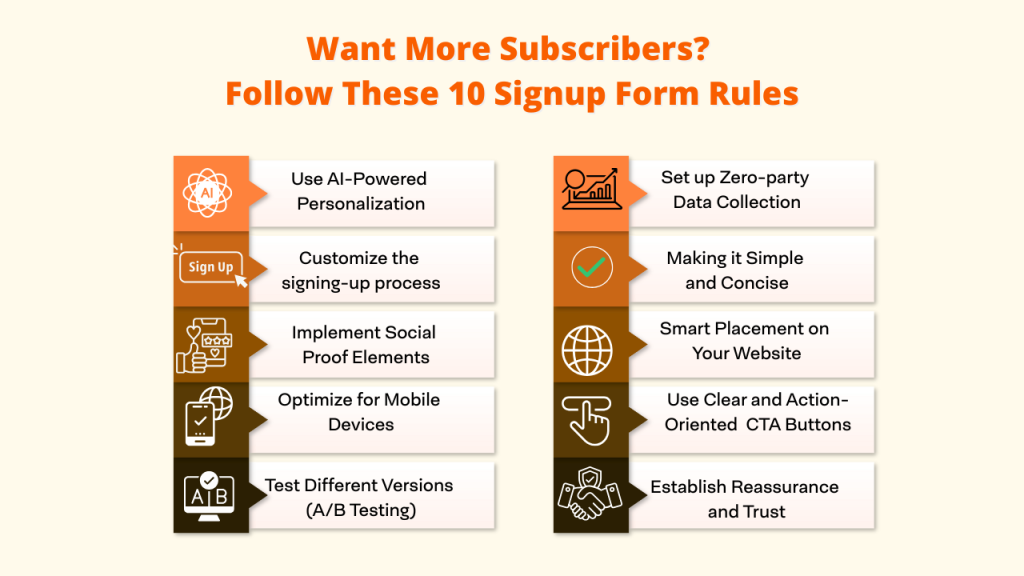
Practice 1. Set up Zero-party Data Collection
In 2025, zero-party data will have become one of the most trusted types of data in privacy-focused marketing. It’s unique because users voluntarily share this information; it’s not inferred or collected without their consent. Since it comes directly from users, it’s more accurate and adheres to global privacy rules.
Good Zero-Party Questions That Don’t Scare People Off
A. “How often would you like to hear from us with the latest info or insights?”
B. “What’s the toughest obstacle you’re facing in this area?”
C. “Is there a topic you’d like us to explore together?”
Tools that make implementation easier:
- Converti – lets you use smart fields that adjust based on the user’s answers
- HubSpot – uses progressive profiling to gather info over time
- Klaviyo – gives users a preference center to choose what kind of content they want
Practice 2: Making it Simple and Concise
A. Ask for less: Fewer newsletter signup form fields mean less effort for users, which leads to more signups. Your name and email address are typically sufficient to get started.
B. Why it works: People don’t like sharing too much personal info right away. Short forms feel quicker and safer to complete.
C. Get more info later: Use progressive profiling after a user signs up and begins to trust your brand; you can collect more details over time through follow-up emails or their account settings.
Practice 3: Smart Placement on Your Website
Where you put your newsletter signup form on your website can make a big difference in how well it works. The following are some wise locations to include your form:
✔️As one of the first things visitors see when they arrive at your website, the top of the homepage (above the fold) immediately draws their attention.
✔️The sidebar is easily accessible because it stays visible while scrolling or reading.
✔️Dedicated landing pages can achieve 10-20% conversion rates, compared to the typical 1-2% for regular pages.
✔️Capture interested visitors by placing the form in the footer of the page.
✔️ When a user is ready to leave your website, exit pop-ups will appear. The last thing you can do is ask them to subscribe.
Place the form in different locations and see what works best. You can expand your list of tools by testing it because different people may see the form in different places.
Practice 4: Use Clear and Action-Oriented Call-to-Action (CTA) Buttons
Your CTA button is the last step for someone to join your email list, so it’s important to get it right. Basic words like “Subscribe” or “Submit” are too plain and don’t really make people want to click. In fact, they can lower your conversion rates.
Instead, use short and powerful phrases that tell people exactly what they’ll get:
✅ Get Instant Access
✅ Join the Community
✅ Start Learning Now
✅ Unlock Exclusive Content
✅ Claim Your Free Guide
The design also matters. Make sure your button:
- Is big enough to tap easily, especially on phones
- Ensure there’s ample spacing around it to facilitate easy tapping.
- Uses clear action words, even better if it sounds personal, like “Send Me the Tips”
Practice 5: Establish Reassurance and Trust
As privacy becomes more important in 2025, it’s key to make your email signup form feel safe and honest. Here’s how to do that:
- Add a short privacy message: Write something like “We care about your privacy and won’t share your info” near the form.
- Include a link to your privacy policy: For people who want more info, give them a link to read the full policy.
- Use trust badges or security icons: If you have them, show symbols that prove your site is safe.
- Say how often you’ll email them: Set expectations by saying something like “We send one email a week—no spam.”
Transparency about data usage increases user comfort and trust. Tools like Converti let you easily add these trust signals near your form to help boost signups.
Practice 6: Use AI-Powered Personalization in Form Experiences
Artificial Intelligence (AI) has advanced significantly and can now enhance your signup forms by tailoring them to each visitor’s behavior. This means your newsletter signup forms can adapt in real time to offer a more personalized experience.
Implementation strategies:
- Form fields that are updated based on past browsing
- Interest-based recommendations informed by user interaction.
- Intelligent defaults that align with probable preferences
- Personalized value propositions based on user behavior.
Businesses that have incorporated AI into their forms have seen conversion rates increase by 32% to 58% compared to those using static forms.
Practice 7: Customize the signing-up process
In 2025, people want a more personal experience when joining a newsletter. Here are some simple ways to make that happen:
- Align the form content with the page topic to maintain relevance. This makes it more relevant.
- Adjust messaging based on the user’s referral source. If someone clicks over from a specific ad or website, adjust your message to match that source.
- Recognize returning visitors by using smart newsletter signup forms that remember past visitors so you don’t ask them for the same info again.
- Reference the current content to personalize the message. Use the current page to customize the message—for example, “Liked this article on[topic]? Sign up for more like it.”
Small personal touches like knowing what someone’s reading or where they came from can make the signup process feel better. Tools like Converti have widgets that help you do this easily and save time.
Practice 8: Implement Social Proof Elements
Showing that others trust and enjoy your newsletter can help more people sign up. It eases doubts and builds confidence. The following are some effective methods:
- Show your subscriber count: Displaying subscriber numbers can build credibility and create urgency.
- Share positive comments: Use short quotes from happy readers saying how your emails helped them.
- Mention awards or recognition: Let people know if you’ve received any honors or praise.
- Use trust badges: Add symbols that show your site is secure and respects privacy.
Display these social proof elements close to your signup form. so visitors see them right away.
Practice 9: Optimize for Mobile Devices
In 2025, most people will use phones or tablets to browse online. So, your newsletter signup form should look and work great on smaller screens. Here’s how:
➕Employ responsive design: Create a form that is responsive to all screen sizes. Tools like Converti offer mobile-friendly widgets that adjust automatically.
➕Keep it simple: Only ask for the most important details so it’s easy to fill out.
➕Make use of clear text: Select readable fonts without requiring zooming.
➕Add tap-friendly buttons: Buttons should be big enough to tap without trouble.
➕Avoid cluttered layouts: To ensure that everything displays correctly on mobile devices, keep the design simple and clear.
By following these tips, your newsletter signup forms will be easier to use on phones, helping you get more signups and better results.
Practice 10: Test Different Versions (A/B Testing)
Regularly testing various parts of your newsletter signup forms can help you understand what works best. Try experimenting with different headlines, call-to-action buttons, form placements, number of fields, and the value you offer to subscribers. This approach helps you make data-driven decisions based on real user behavior.
Helpful A/B Testing Tools:
- Sendster: Includes built-in email checks and strong delivery tools.
- Mailchimp: This lets you test different form styles.
- Brevo: Tracks how users interact with your newsletter signup forms.
These tools help you collect useful data to make better forms and get more signups.
Predictions for Newsletter Signup Forms Trends Beyond 2025
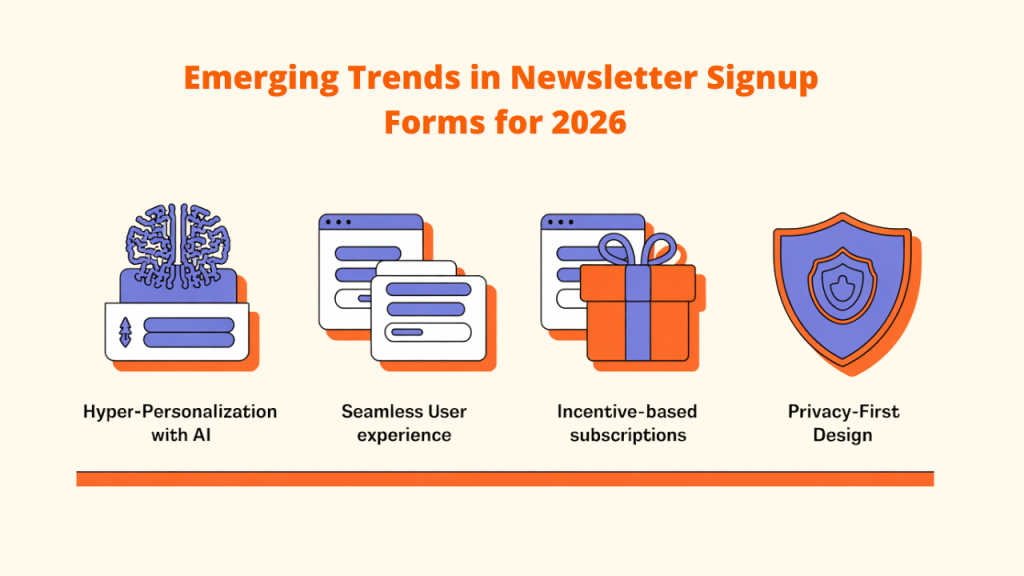
It is anticipated that strategies for newsletter signup forms will change significantly as digital landscapes develop. Here are some anticipated trends:
1. Hyper-Personalization By Using AI
Future newsletter signup forms will utilize sophisticated AI and machine learning algorithms to offer highly personalized experiences. This could include dynamically adjusting form fields and suggesting content tailored to individual preferences, moving beyond basic personalization techniques.
2. Fully integrated user experience
Embedding newsletter signup forms within interactive content, product recommendations, or voice interfaces makes subscribing feel natural. Tools like Converti, with built-in analytics, help monitor form performance and guide improvements.
3. Stronger Value Exchange Expectations
Users will seek more than just regular updates in exchange for their subscriptions. Brands may need to provide exclusive perks, such as members-only content, early access to products, or personalized incentives, clearly communicated at the point of signup.
4. Privacy-First and User-Controlled Design
With growing attention to data privacy, future signup forms will likely prioritize transparency. This includes providing clear consent options, allowing users to manage their data preferences, and adopting privacy-centric designs as standard practice with tools like Converti and Privy.
Conclusion
In 2025, newsletter signup forms will have evolved into critical components of email marketing success. With advancements in AI, heightened privacy concerns, and a growing demand for personalized engagement, optimizing your signup process has become essential..
By implementing best practices such as collecting zero-party data, adopting mobile-first design, personalizing user experiences, and engaging subscribers post-signup, you can cultivate a dedicated audience eager for your content.
To further enhance your efforts, consider utilizing tools like Converti a robust suite of conversion optimization widgets. It assists businesses of all sizes in improving performance by leveraging social proof, creating urgency, and enhancing user engagement.
As the digital landscape continues to change, focusing on value, trust, and user experience will not only grow your email list but also foster a thriving community of engaged subscribers.