
Have you ever seen a live chat pop-up on a website or a weather update tucked into the corner of a page?
These are called website widgets.
They’re small tools that help make websites more useful and fun to use and they’re becoming more important than ever in 2025.
Even though widgets are tiny, they can do big things. They help websites run more efficiently, keep visitors engaged, and make customer support faster and easier. Understanding what widgets are and how they function is essential for expanding your website, regardless of its age.
Today, website widgets are a must-have for website owners. They offer quick, helpful features that improve the user experience without making visitors leave the page. As people’s attention spans get shorter and competition increases, these tools help your site stand out.
In this guide, you’ll find:
🎯 A simple explanation of what widgets are
🎯 Why they matter more than ever this year
🎯 10 top widget types every site can use.
🎯 How to choose and use them effectively without slowing your site down
Let’s jump in and see how website widgets can help improve your website and give your visitors a better experience!
What is a Widget on a Website?
A website widget is a small tool you can add to your site to serve a specific purpose. Without the need for complex coding, it brings in useful features, like a chat box or a countdown timer. Think of it as adding a tiny assistant that makes your page more helpful and engaging.
Main Features of Website Widgets:
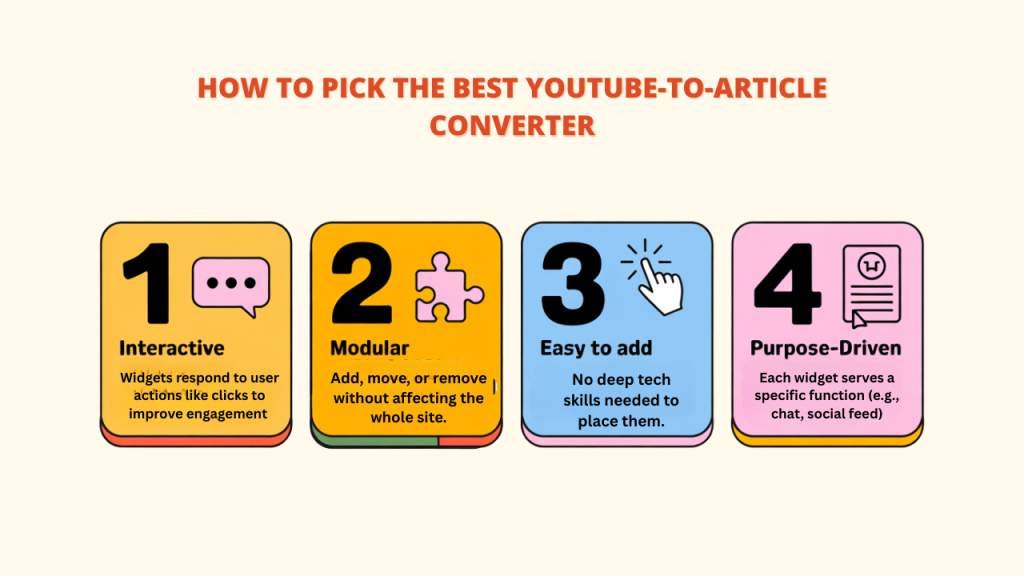
- Interactive: Website widgets can react as people click or utilize them, allowing them to handle problems more efficiently. For example, a tool like Converti helps get more leads and sign-ups this way.
- Modular: Each website widget works on its own, so you can easily add, move, or remove it without affecting the rest of the site.
- Easy to Add: Most website widgets can be placed on your site quickly and don’t require deep technical skills.
- Designed for a Purpose: Each website widget is made to do one thing well—like showing a live chat, social media posts, or a newsletter sign-up form.
Example :
Imagine a tiny box on a blog’s side. It might show the writer’s recent tweets, give an option to join their email list, or have a button to start a chat. That’s a widget in action!
Why Website Widgets Matter in 2025
The way we use the internet is changing fast, and website widgets are now more useful than ever. In 2025, these small tools play a big role in improving how websites look, feel, and work for both users and owners.
Quick Stats for 2025:
- Over 70% of websites that get a lot of sales use interactive widgets
- Sites with AI website widgets get 35% more user interaction
- 61% of mobile users prefer using widgets over regular website elements
How Widgets Improve User Experience:
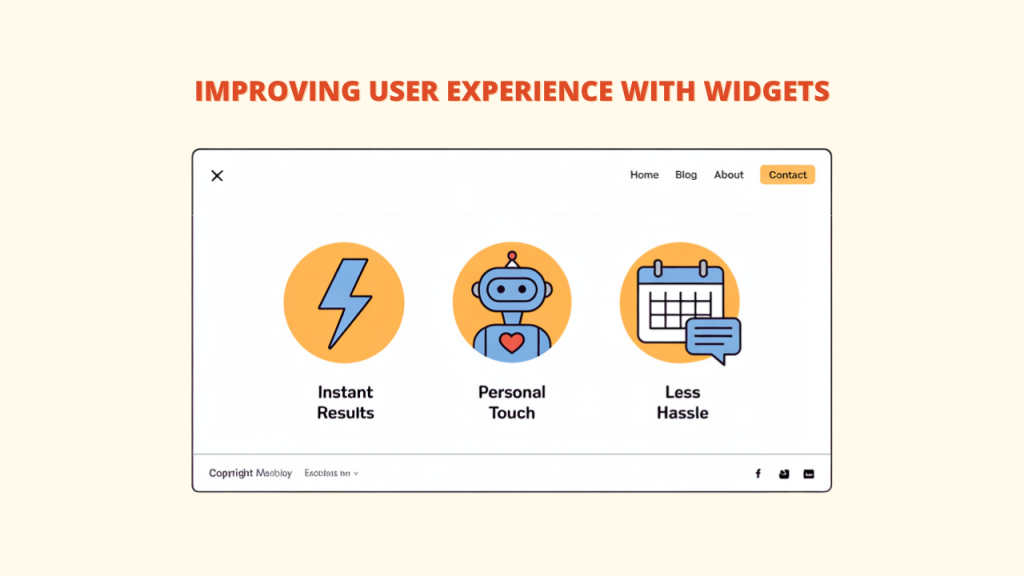
✔️Instant Results: Widgets give users quick access to features without leaving the page
✔️Personal Touch: Some website widgets use AI to show content based on what each user likes or does
✔️Less Hassle: Widgets can make things easier, like booking an appointment or starting a live chat
Widgets Work Great on Mobile:
Since over 72% of web traffic now comes from mobile devices, website widgets in 2025 are built to fit any screen—phone, tablet, or computer. Tools like Converti help make sure your widgets adjust automatically for a smooth user experience everywhere.
Saves Time and Effort for Website Owners:
Website widgets provide significant efficiencies for both website owners and developers:
- Reduced development time for common functionalities
- Lower maintenance requirements compared to custom-built features
- Regular updates are typically handled by the widget provider
Trending Widget Innovations in 2025
✔️Smart Chat Widgets: These go beyond basic bots and can talk like real people using AI
✔️More Personalization: Widgets that change based on where the user is or what they’re doing—tools like Converti help make this easy
✔️All-in-One Widgets: Combine multiple features into one tool to keep things neat
✔️No-Code Customization: Drag-and-drop editors that let you design your widgets without needing to know any code
10 Most Popular Types of Website Widgets
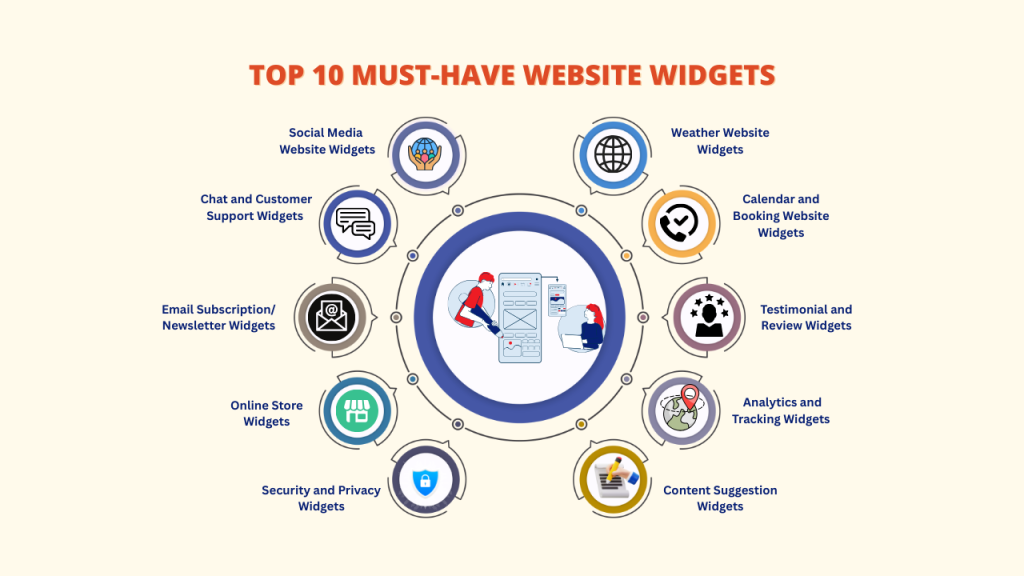
1. Social Media Website Widgets
These widgets let you show your social media content right on your website. They help you:
- Display your newest posts and updates
- Show social proof with visible follower numbers
- Get more followers and likes
- Let people easily share your content
2025 Update: New social widgets can now check the mood of your posts and highlight the ones people like the most.
2. Chat and Customer Support Widgets
These are some of the most useful website widgets for business websites. They let you:
- Talk to your visitors in real time
- Offer help all day, every day, using smart chatbots
- Start chats based on what the visitor is doing on your site
- Quickly connect people with your sales or support team
2025 Update: Today’s chat widgets can understand how people feel and reply kindly. Tools like Converti help switch the conversation to a real person when needed.
3. Email Subscription/Newsletter Widgets
These helpful tools make it easy to grow your email list by:
- Turning website visitors into email subscribers
- Giving free items or discounts to encourage sign-ups
- Using smart timing to ask at the right moment
- Sorting subscribers by their interests
2025 Update: New subscription weather widgets can now study visitor behavior and offer the best time and message to get more sign-ups.
4. Weather Website Widgets
More than just convenience features, weather widgets can:
- Show local weather updates
- Improve the experience on travel or outdoor websites
- Support timely promotions based on the weather
- Bring back visitors for new weather updates.
2025 Update: Modern weather widgets now work with event tools to suggest the best times to plan things based on weather forecasts.
5. Testimonial and Review Widgets
Build trust and credibility through:
- Showing real customer reviews and feedback
- Connecting with well-known review sites
- Highlighting star ratings and short testimonials
2025 Update: Modern review widgets now show random customer reviews with photos and star ratings, making your site feel more trustworthy—especially with tools like Converti.
6. Calendar and Booking Website Widgets
These productivity powerhouses enable:
- Seamless appointment scheduling
- Event registration and reminders
- Resource allocation and management
- Integration with popular calendar systems
2025 Update: Smarter booking widgets now use AI to suggest the best times for meetings based on past activity and user preferences.
7. Analytics and Tracking Widgets
Assist you in understanding user behavior through:
- Real-time visitor statistics
- Heatmaps showing engagement patterns
- Custom goal tracking
2025 Trend: Predictive analytics widgets that forecast future site performance based on current trends.
8. Content Suggestion Widgets
These tools help keep people on your site longer by:
- Showing content based on what the visitor likes
- Suggesting similar articles or pages (“You may also like…”)
- Showing how long it will take to read
2025 Trend: Now, some widgets can tell how visitors feel and suggest content that matches their mood.
9. Online Store Widgets
These are essential for online and e-commerce businesses and consist of:
- Keep products in the cart even if users leave and come back
- Recommend products based on browsing
- Show items the visitor looked at before
2025 Trend: Some website widgets now let customers preview products using AR (augmented reality), helping them feel more confident before buying. Tools like Converti also help build trust, encourage others to follow, and boost sales.
10. Security and Privacy Widgets
These tools help visitors feel safe by:
- Showing cookie consent pop-ups
- Displaying security badges or certificates
- Sharing how user data is protected
2025 Trend: New privacy widgets now let users control what data they share while still following global rules and keeping everything secure.
How to Choose the Right Website Widgets for your Website (Strategic Selection)
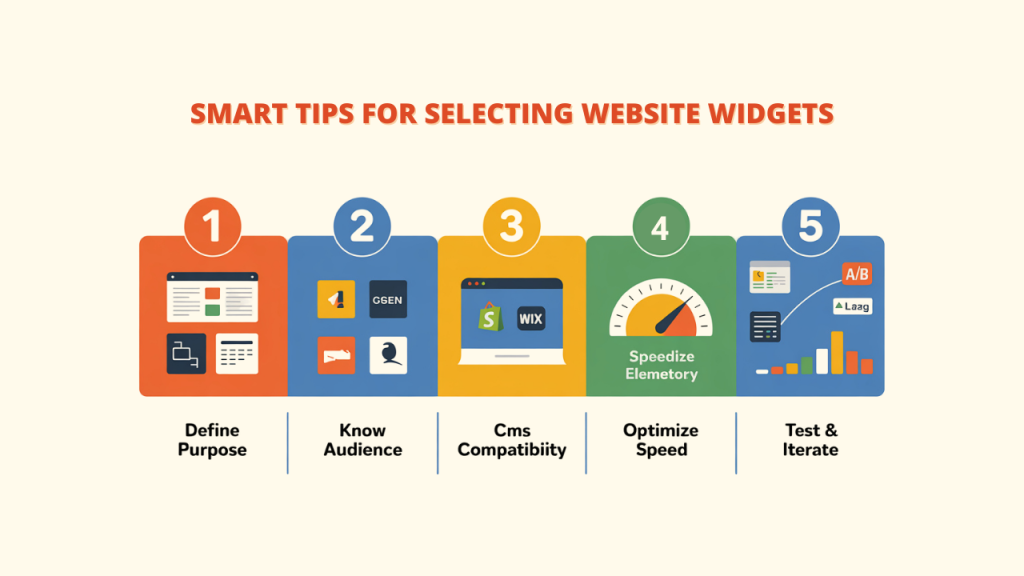
Selecting the optimal website widgets requires thoughtful consideration of your specific needs and goals:
1. Define Your Website’s Purpose
Ask yourself: What do I want my website to do?
- Want to sell products? → Add product sliders, customer reviews, and shopping cart website widgets.
- Want to get more leads? → Use pop-ups, live chat, and email sign-up forms.
- Want to share content? → Add social media sharing buttons, “related posts,” and comment sections.
2. Know Your Audience Inside-Out
Think about who’s using your site and how they use it:
- Do they visit from phones or computers?
- What age group are they in, and how does that affect what they click on?
- What are they trying to do when they visit your site?
Younger users prefer fun widgets like social feeds, while professionals often need booking or calendar tools. Converti helps add all types easily, all aimed at maximizing the effectiveness of website traffic.
3. Check CMS & Platform Compatibility
Not every widget works well on every website. Check if the widget supports:
- Your website builder (like ShopFunnels, Shopify, Wix, or Squarespace)
- Your theme or design tool (like Elementor, Divi, or Webflow)
4. Make Sure Your Website Stays Fast
Widgets are helpful, but having too many can make your site load slowly. This might make people leave your website. Here’s how to avoid that:
- Only use the most important website widgets
- Use lazy-load for widgets lower on the page so they load later
- Avoid using too many third-party widgets at once
- Pick light and quick widgets that don’t depend on lots of outside tools (like Converti)
5. Test and Iterate
Implementing website widgets ought to be a continuous process of improvement:
- Try A/B testing to see what works best
- Watch how users interact with your widgets
- Track results like clicks, sign-ups, or sales
- Remove or change widgets that don’t perform well
The best results come from adjusting your widgets based on real user behavior.
Website Widget Best Practices
A. Loading Speed Optimization:
When adding widgets to your site, speed is very important.
To keep your website running fast:
- Delay loading scripts that aren’t needed right away
- Use lazy-loading for extra widgets that aren’t at the top of the page
This way, the main content shows up quickly, and the extra features only load when needed. It helps your site stay fast and easy to use.
B. Strategic Placement:
Where you put widgets really matters. Good placement can get people more involved.
- Use the F-pattern layout for text-heavy websites
- Try the Z-pattern for visual or shopping sites
- Keep widget positions the same on every page
Support icons or useful tools like Converti, which can help with live chat, are best positioned in the sidebar or corner to make them visible without being in the way.
C. A/B Testing :
You can discover what your visitors prefer by experimenting with different styles.
- Test where the widget goes, what colors or words you use, and when it pops up
- Experiment with various brands or tools that accomplish the same goal.
- Use tools like Google Optimize to track what works
This helps you improve your website widgets over time based on real results.
D. Limit Overload :
Adding lots of website widgets can make your website look crowded and run slower.
- Try to use just 5 to 7 helpful widgets
- Make the page user-friendly and clear.
- Pick only the ones that your visitors really need
Using fewer website widgets keeps your site clear, fast, and user-friendly.
Common Website Widget Problems and Solutions
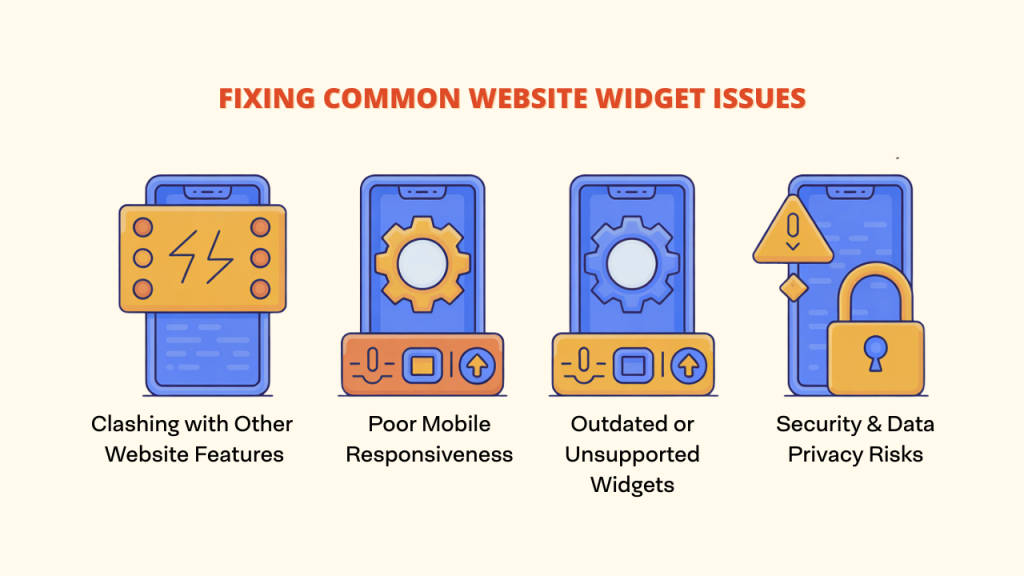
⚔️ Clashing with Other Website Features
Sometimes website widgets don’t play nice with each other or with your theme. This usually happens when scripts overlap.
✅ Solution: Use asynchronous loading or a script manager to avoid conflicts.
📱 Looks Weird on Mobile?
A website widget might look great on a desktop but break or misalign on mobile screens.
✅ Solution: Always check if the widget offers responsive settings and test it across devices.
🕰️ Using an Outdated Widget?
Old widgets can slow your site down or just stop working.
✅ Solution: Update regularly or find a modern alternative that’s actively supported.
🔒 Is It Safe to Use?
Some website widgets collect user data without proper safeguards, which can lead to privacy risks.
✅ Solution: Choose widgets that are GDPR-compliant and use encrypted data handling.
Conclusion
Widgets are no longer just optional add-ons—they’ve become a vital part of how modern websites function. They enhance usability and can lead to better results for your business.
However, using widgets isn’t a one-and-done task. To get the most value, you need to test, track what’s working, and optimize based on how visitors interact with your site.
A tool like Converti can help with this. It gives you pre-made widgets like social proof messages, countdowns, chat boxes, and lead forms. These tools are built to help you get more people to visit, stay, and take action on your site.
So, take a little time to look over your website. Think about which website widgets could help your visitors have a better experience. Then watch how they perform and make changes as needed.
When you use the right widgets in the right way, people stay longer, trust your site more, and are more likely to buy or sign up.